Search Databases, Tables, Views data
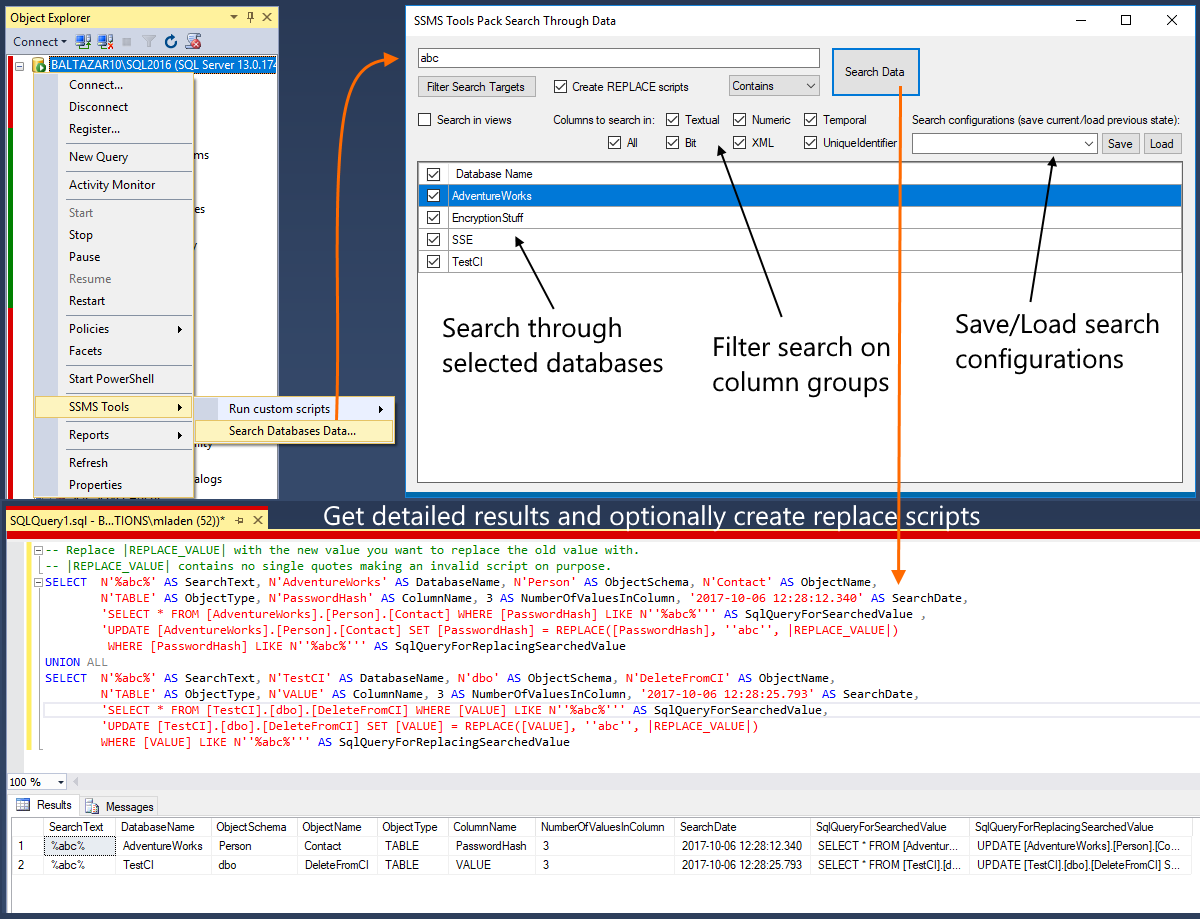
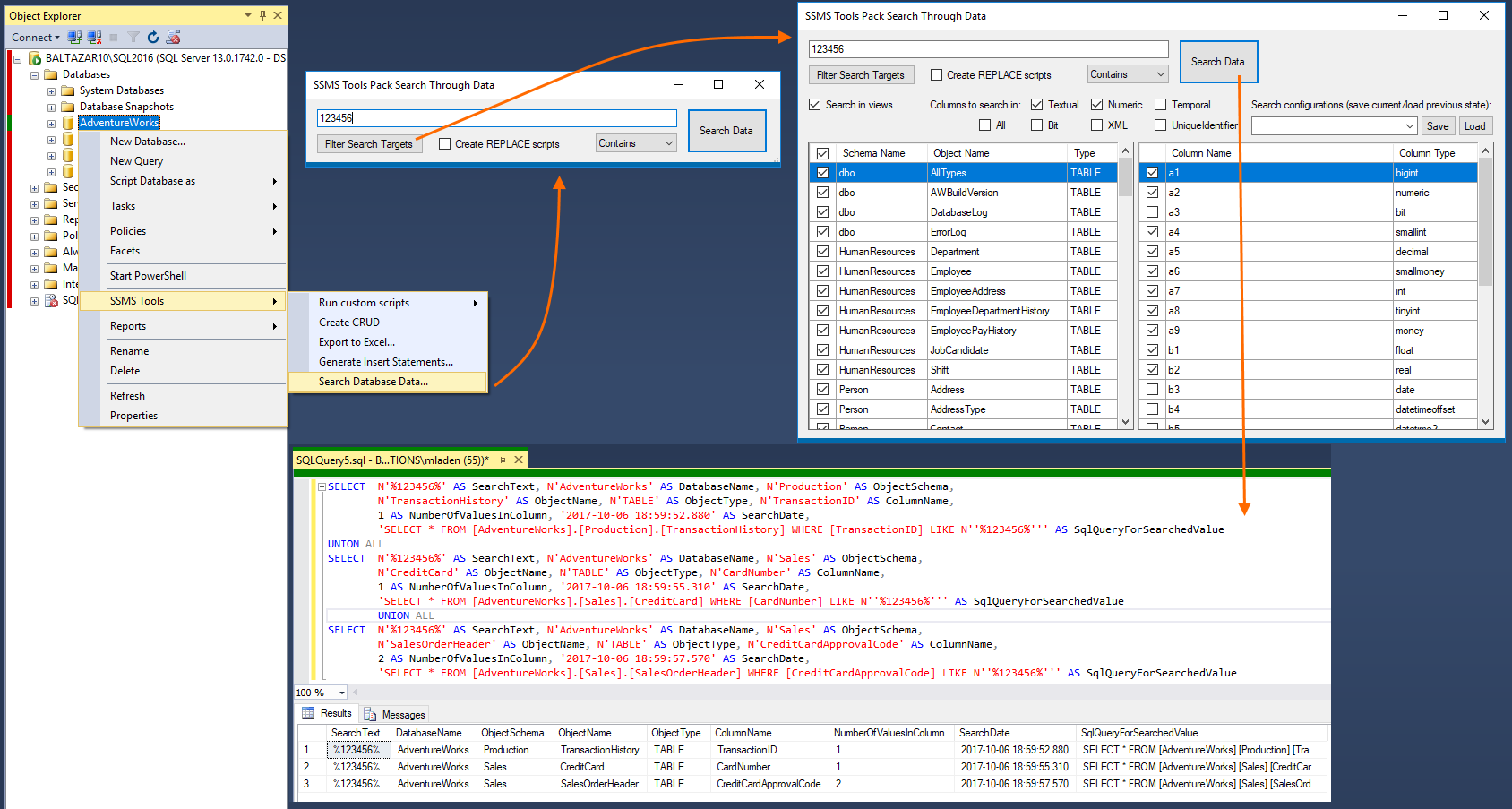
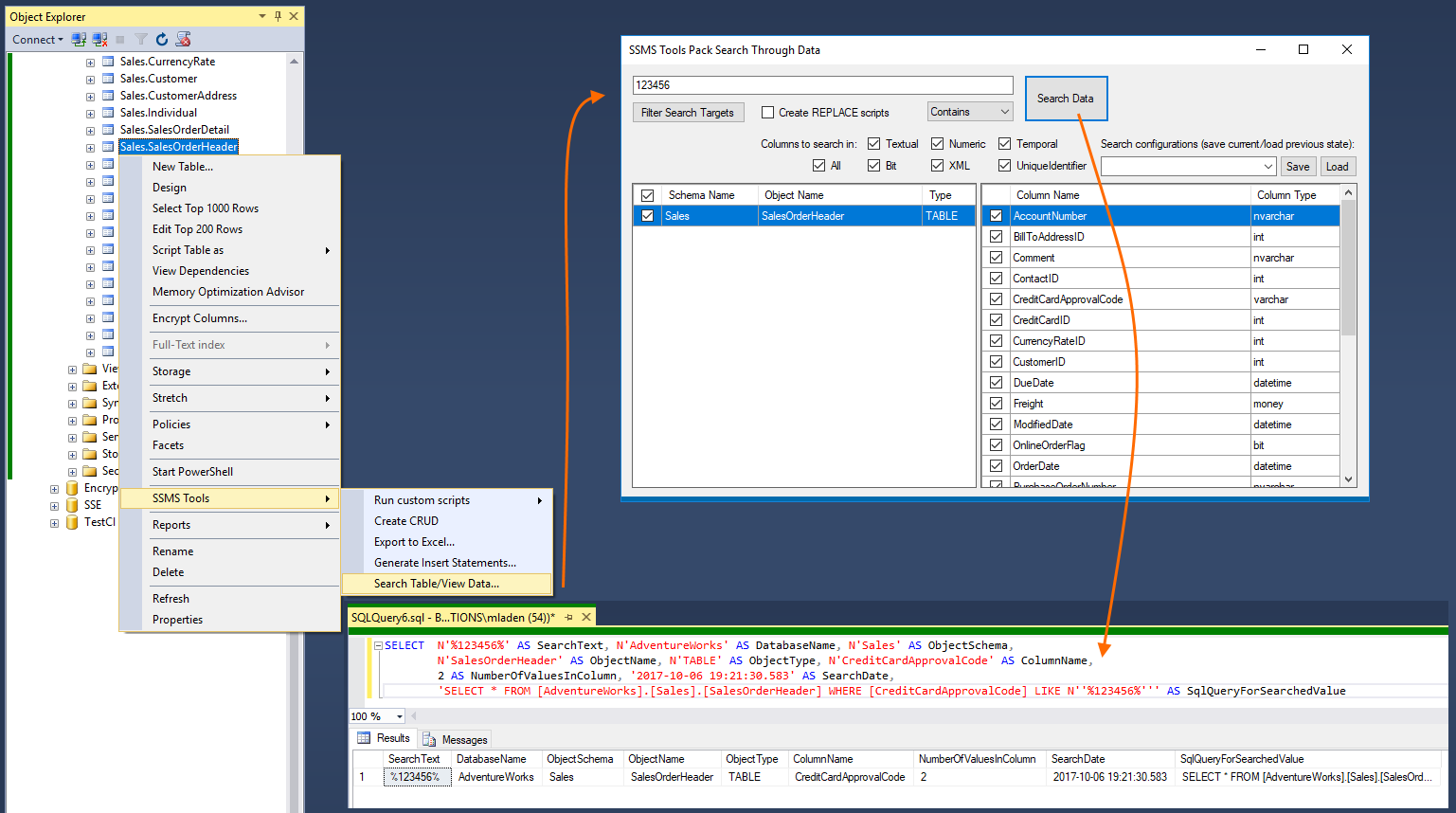
Search for values stored in SQL Server tables and views across one or more databases directly from SSMS.
This feature searches database data, rather than object names or SQL definitions.
To search data already returned by a query, use Search Results in Grid Mode.
Supported are four ways of finding a value: Starts with, Ends With, Contains and Equals. Advanced filtering allows searching through column groups like textual or numeric, but binary columns are never searched. Filtering also allows choosing specific tables and columns you want to search through.
Additional search options:
1) Create REPLACE scripts for found values greatly simplifying find/replace data scenarios.
2) Save/Load search configuration enabling a search to be loaded and executed quickly for similar tables or databases.
Supported are four ways of finding a value: Starts with, Ends With, Contains and Equals. Advanced filtering allows searching through column groups like textual or numeric, but binary columns are never searched. Filtering also allows choosing specific tables and columns you want to search through.
Additional search options:
1) Create REPLACE scripts for found values greatly simplifying find/replace data scenarios.
2) Save/Load search configuration enabling a search to be loaded and executed quickly for similar tables or databases.