Export To Excel
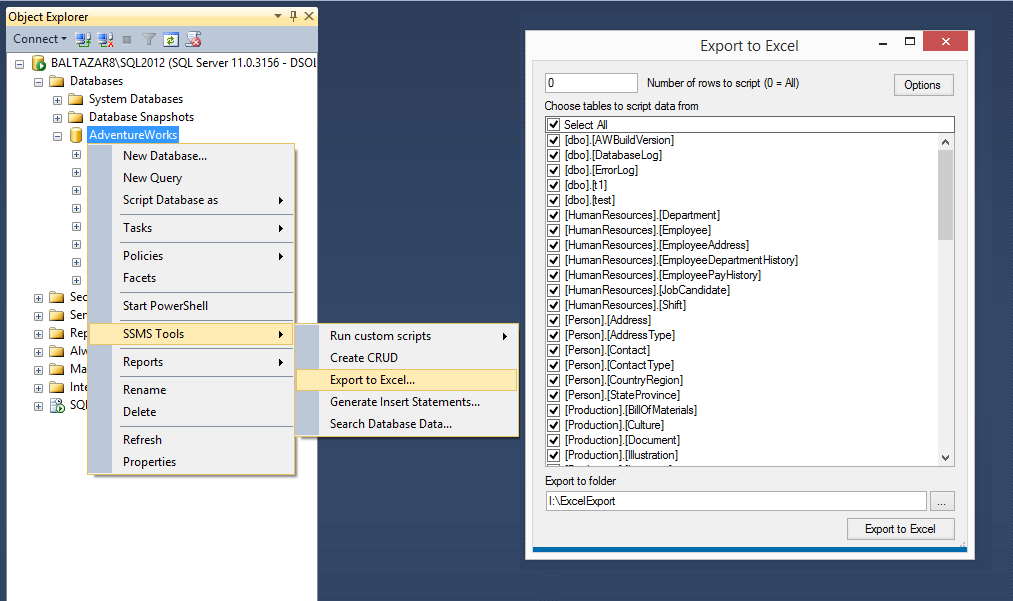
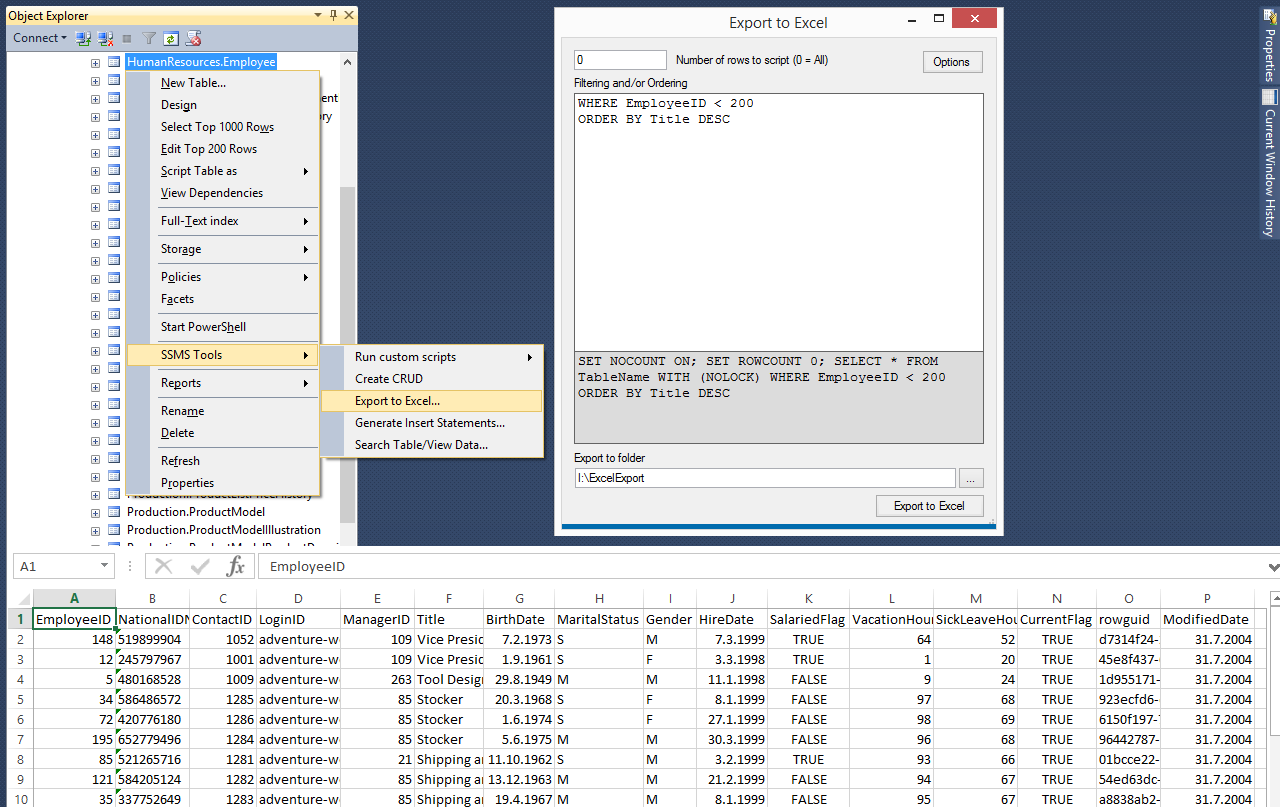
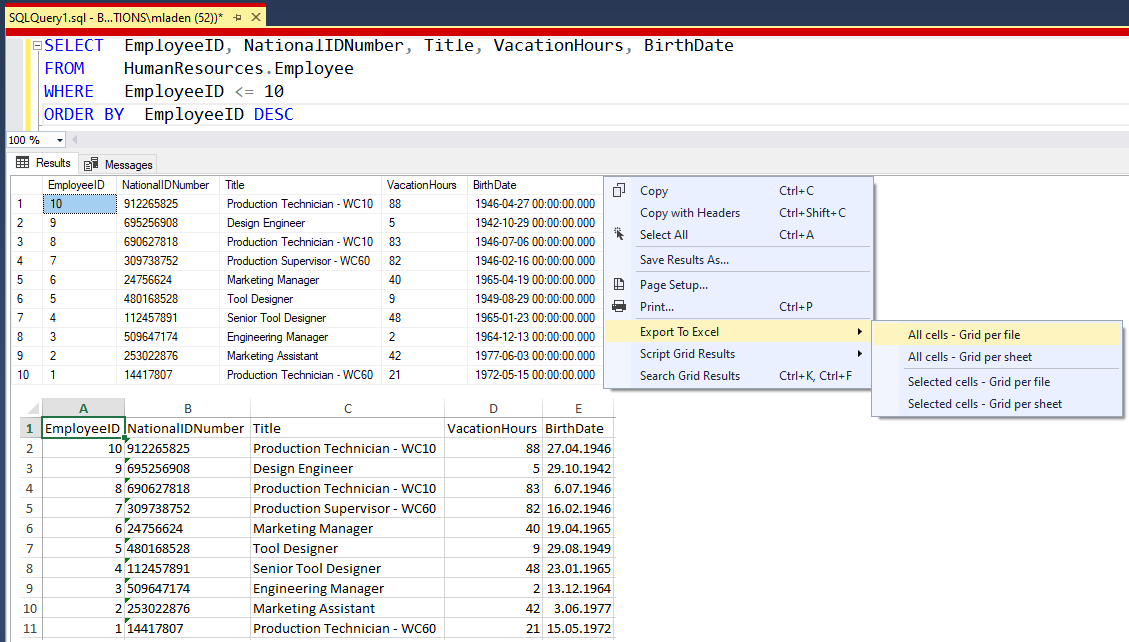
Export SQL Server query results, selected result-grid cells, tables, or a whole database to XLSX files directly from SSMS. This feature does not require Excel to be installed.
You can also export data as an Excel table with filtering enabled. Configure this in Export to Excel Options.
Keyboard shortcuts can be assigned to the grid export commands in Export to Excel Options.
For grid results, choose from these export options:
Text in a cell is limited to 32,767 characters; longer values are truncated. Binary data can be exported only when it is 16,381 bytes or less. Larger values are not exported. Exporting a whole database creates a folder containing an Excel file for each table.
Exported files are opened automatically when the option is enabled and Excel is installed. Newlines and tabs in text are preserved in the exported cells.
You can also export data as an Excel table with filtering enabled. Configure this in Export to Excel Options.
Keyboard shortcuts can be assigned to the grid export commands in Export to Excel Options.
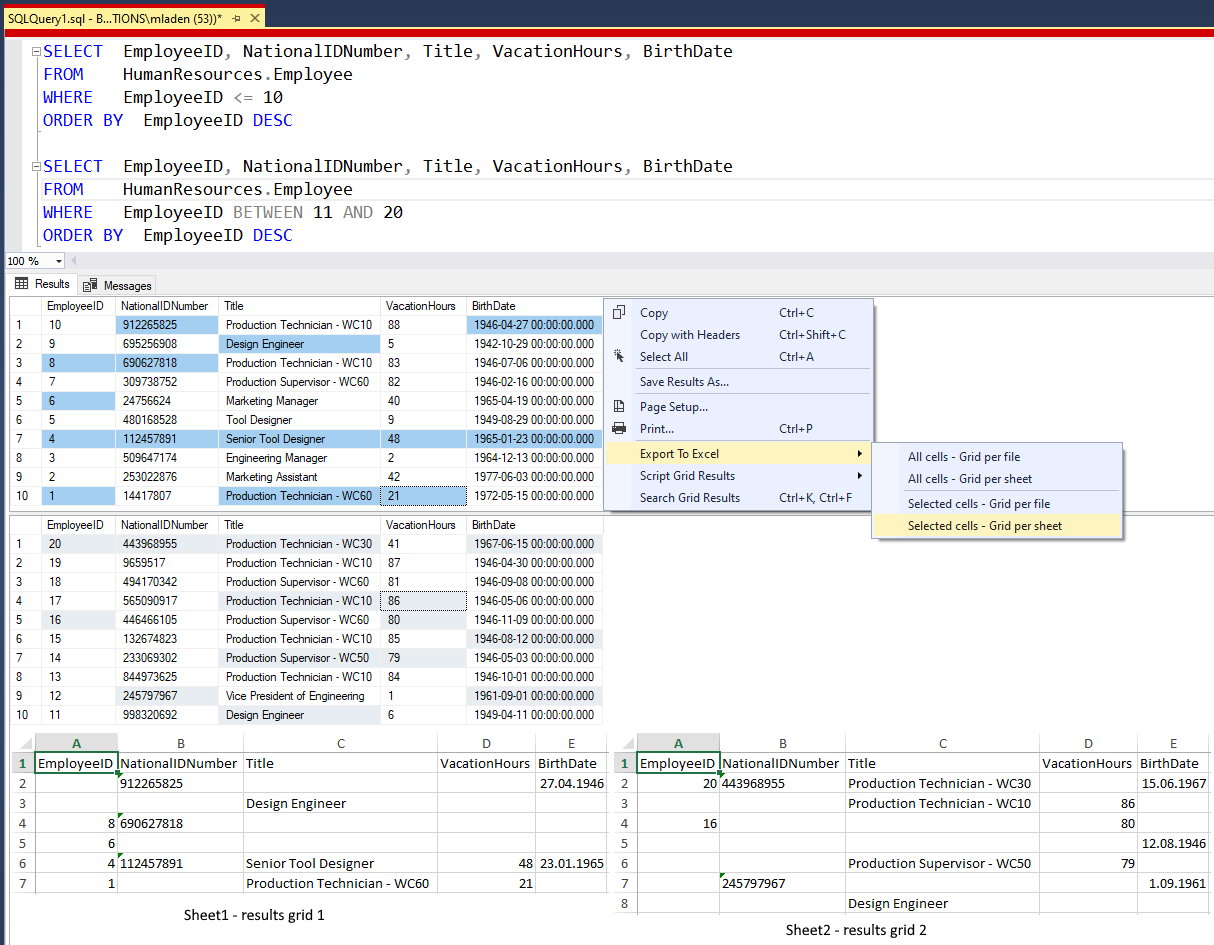
For grid results, choose from these export options:
- All cells - Selected grid only: Export all cells from the currently selected grid to its own Excel file.
- All cells - One file per grid: Export all cells from every result grid, creating a separate Excel file for each grid.
- All cells - One sheet per grid in single file: Export all cells from every result grid into one Excel file, with a separate sheet for each grid.
- Selected cells - One file per grid: Export selected cells from each result grid to a separate Excel file.
- Selected cells - One sheet per grid in single file: Export selected cells from each result grid into one Excel file, with a separate sheet for each grid.
Text in a cell is limited to 32,767 characters; longer values are truncated. Binary data can be exported only when it is 16,381 bytes or less. Larger values are not exported. Exporting a whole database creates a folder containing an Excel file for each table.
Exported files are opened automatically when the option is enabled and Excel is installed. Newlines and tabs in text are preserved in the exported cells.